TikTok Ads Manager 101: Getting started
Follow our step-by-step guide to set up an Ads Manager account and launch your first campaign on TikTok.
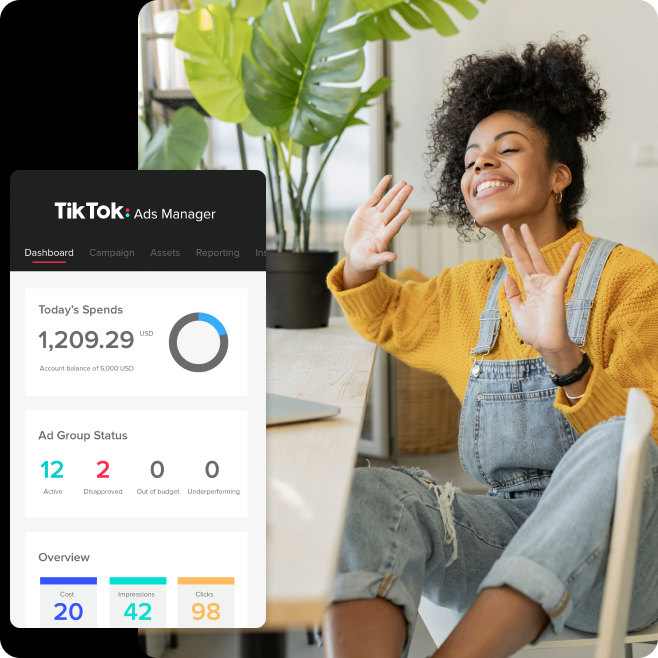
TikTok Ads Manager Setup
Create a TikTok Ads Manager account, register your ad account, add payment, complete verification if prompted, then build your first campaign by choosing an objective, budget, ad group settings, and creative before measuring results and making small updates over time.
There's a world of people waiting to discover your brand on TikTok. TikTok Ads Manager is designed to help every advertiser get from setup to launch quickly, then keep improving with advanced intelligence tools, clear reporting, and seamless workflows that handle the heavy lifting.
Why advertise with TikTok Ads Manager?
Reach a global audience: Over a billion people come to TikTok every day to be entertained, inspired, and shop. TikTok Ads Manager puts your brand in front of them.
Full-funnel impact: Build campaigns for awareness, consideration, and conversion, with objectives mapped to the outcomes that matter most to your business.
Creative made easy: Use flexible ad formats and built-in tools to turn your assets into TikTok-first content that feels natural in the feed.
Reach the right people: Target by location, demographics, interests, and behaviors to connect with the audiences most likely to act.
Automation when you want it: Advanced intelligence tools handle the heavy lifting so you can focus on growth. Use them as much or as little as you want, with full control at every step.
Campaign management in one place: Create, publish, measure, and iterate from a single platform in a seamless workflow. No switching between tools.
Always know how you're doing: Real-time reporting and Ad Assistant give you the insights and guidance to understand performance and know what to do next.
Getting started: Account setup
We want your first TikTok campaign to feel straightforward. Here's the quick path from account creation to launch.
Step 1: Create your account
Go to TikTok Ads Manager sign-up and create your account. You'll enter basic business information (country/region, time zone, billing currency, legal business name, industry).
Tip: Double-check your time zone before submitting—some account settings may be difficult to change later.
Step 2: Register your ad account
Complete your ad account registration in the onboarding flow.
Step 3: Set up payment
Add your payment method so your account is ready to run ads.
Step 4: Complete verification (if prompted)
Follow the verification steps in-product to finish onboarding.
Managing multiple ad accounts? The 2026 guide recommends setting up a Business Center to create and manage multiple ad accounts.
Quick orientation: Your first look in Ads Manager
After onboarding, get familiar with where things live:
Dashboard: A centralized view of spend and performance
Campaign: Create and manage campaigns, ad groups, and ads (including bulk actions)
Tools: Pixels, events, creative assets, audiences, and other setup resources
Analytics: Reporting and insights (templates + scheduled reports)
How to create your first TikTok campaign
Step 1: Start a campaign
After you finish onboarding, you'll land in the campaign creation flow. If you exit and come back later, use the Create entry point in your account to start.
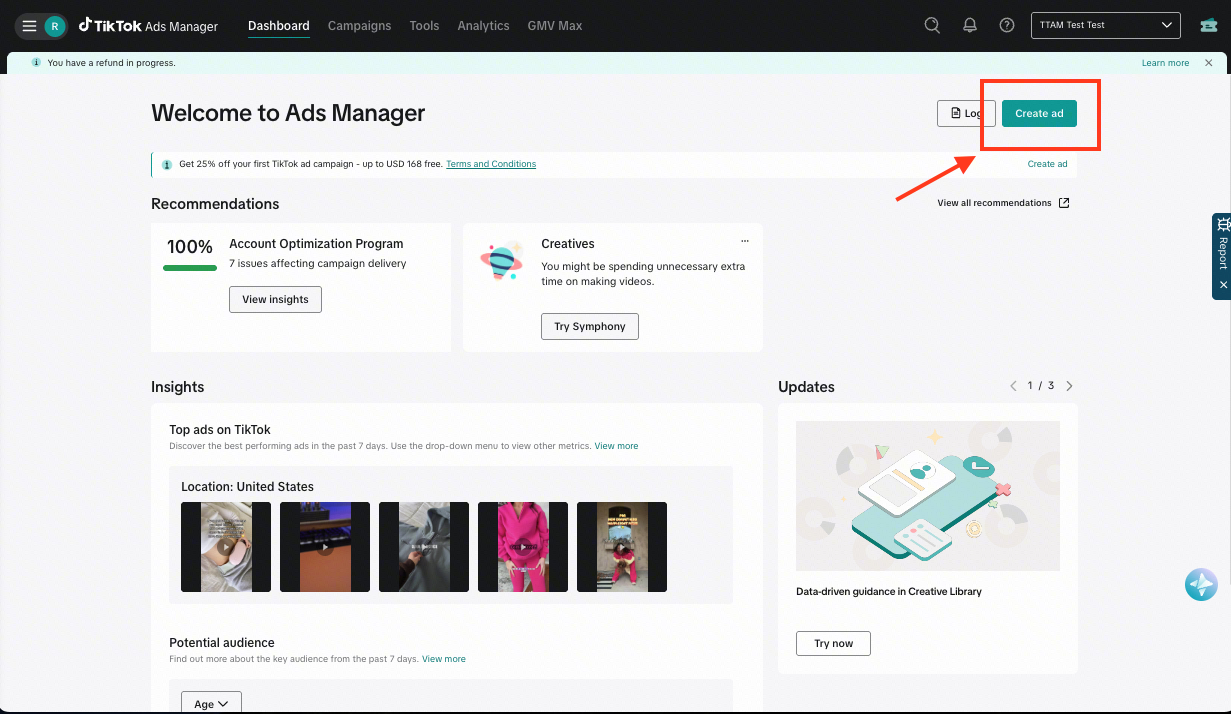
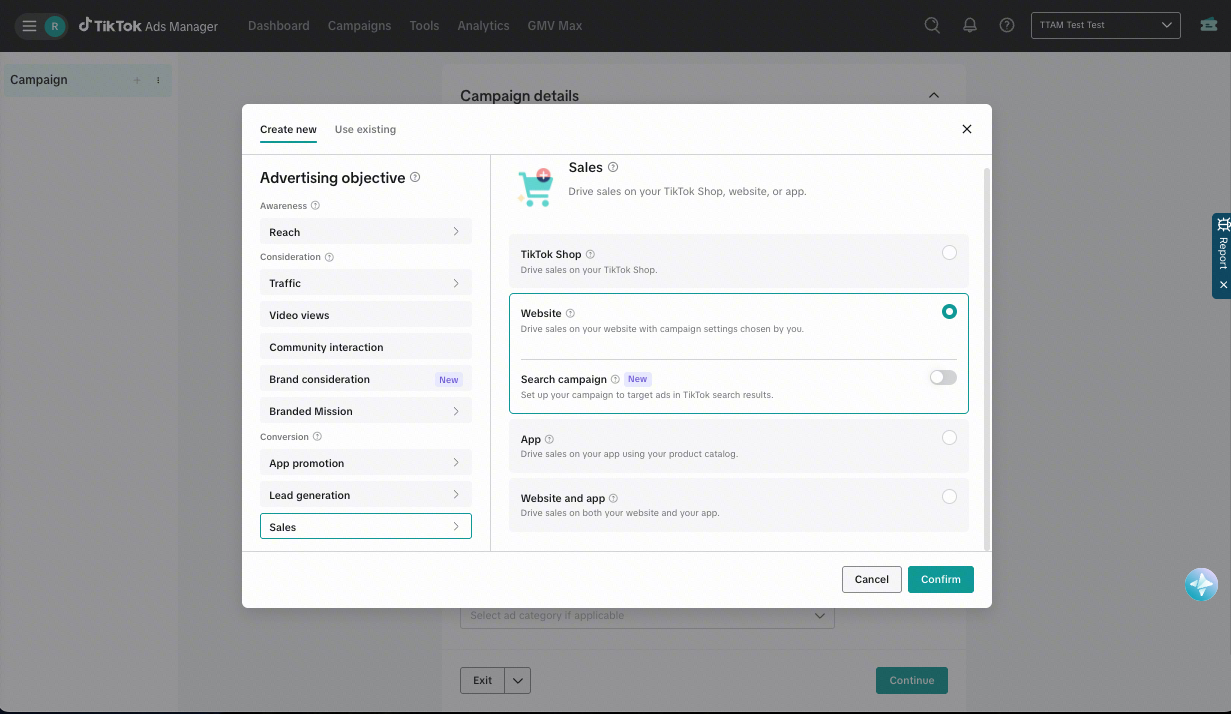
Step 2: Choose the right objective
Your objective is the "north star" for your campaign—pick the outcome you want most. TikTok Ads Manager organizes objectives into:
Awareness
Consideration
Conversion
Read more on how to select the right objective for your campaign.
Step 3: Set budget strategy and campaign settings
Set the controls that determine how your campaign will deliver.
Budget strategy: Choose a Daily or Lifetime budget.
Schedule: Set when your campaign should run.
Bid strategy (if applicable): Select the approach that fits your performance goal.
Placements: Choose where your ads can appear
Optional automation: You can enable Smart+ campaign budget and Smart+ automatic placement during setup and turn them on/off at the module level.
Step 4: Set up ad groups
At the ad group level, you'll make the delivery decisions that shape who sees your ads and how performance is optimized.
Optimization: Choose what you want the system to optimize for.
Bidding: Select a bid strategy that matches your goal.
Targeting: Choose location, demographics, interests/behaviors, and device.
Placements: Choose where your ads can appear.
Optional automation: You can enable Smart+ targeting and Smart+ automatic placement during setup and turn them on/off at the module level.
Want more guidance? Follow our targeting best practices in the Business Help Center, or download the TikTok Ads Manager Playbook for a deeper, step-by-step guide and more best practices.
Optional: Use Smart+ solutions in campaign setup
Smart+ is TikTok's portfolio of AI and automation solutions available within campaign setups to maximize performance results while keeping control in your hands.
Smart+ solutions are trusted, proven module-level solutions in TikTok Ads Manager that leverage intelligent tools and data to automate routine tasks and save advertisers time and money. Smart+ solutions are embedded within existing campaign setups (not a separate campaign type) and can be turned on and off.
Smart+ solutions include Smart+ campaign budget, Smart+ targeting, Smart+ automatic placement, and Smart+ catalog ads. A Smart+ powered campaign (or "Smart+ setup") is a campaign setup where all Smart+ solutions are enabled to deliver superior performance through intelligence tools and seamless workflows.
Step 5: Add your creative
Upload your video assets or promote content from an owned/authorized TikTok account.
Explore creative tools in Ads Manager to iterate quickly.
Keep creative TikTok-native: short, clear hook, fast pacing, authentic style.
After launch: Measure and improve
Once your first ad is live, check your results in Ads Manager to understand what’s working and then make small, consistent updates to your campaign over time to optimize performance.
Next steps:
Start with your objective: Look at the key results tied to your goal (awareness, consideration, or conversions).
Check the basics: Review spend, delivery, and top-performing ads to understand what’s getting traction.
Test creative variations: Swap in a new hook, caption, or video variation and compare results.
Optional: If you want to do more and manage less, enable Smart+ Campaign Budget (CBO), Smart+ Targeting, or Smart+ Automatic Placement.
Download the latest TikTok Ads Manager playbook for setup checklists, best practices, and optimization tips.
Download the playbookCreate your account to start publishing, targeting audiences, and measuring campaigns today.
Get startedYour questions, answered
Business Help CenterWhat do I need to set up first?
Start by creating a TikTok Ads Manager account, then register your ad account, add a payment method, and complete verification if prompted. Double-check your time zone before submitting, because some account settings may be difficult to change later.
How do I build my first campaign?
Begin in the campaign creation flow, choose an objective, set your budget strategy and campaign settings, build your ad groups, and add your creative. Objectives are organized around Awareness, Consideration, and Conversion.
What is Smart+ in campaign setup?
Smart+ is a set of AI and automation solutions built into campaign setup, not a separate campaign type. It can help automate routine tasks with options such as Smart+ campaign budget, Smart+ targeting, Smart+ automatic placement, and Smart+ catalog ads.